Skip to content
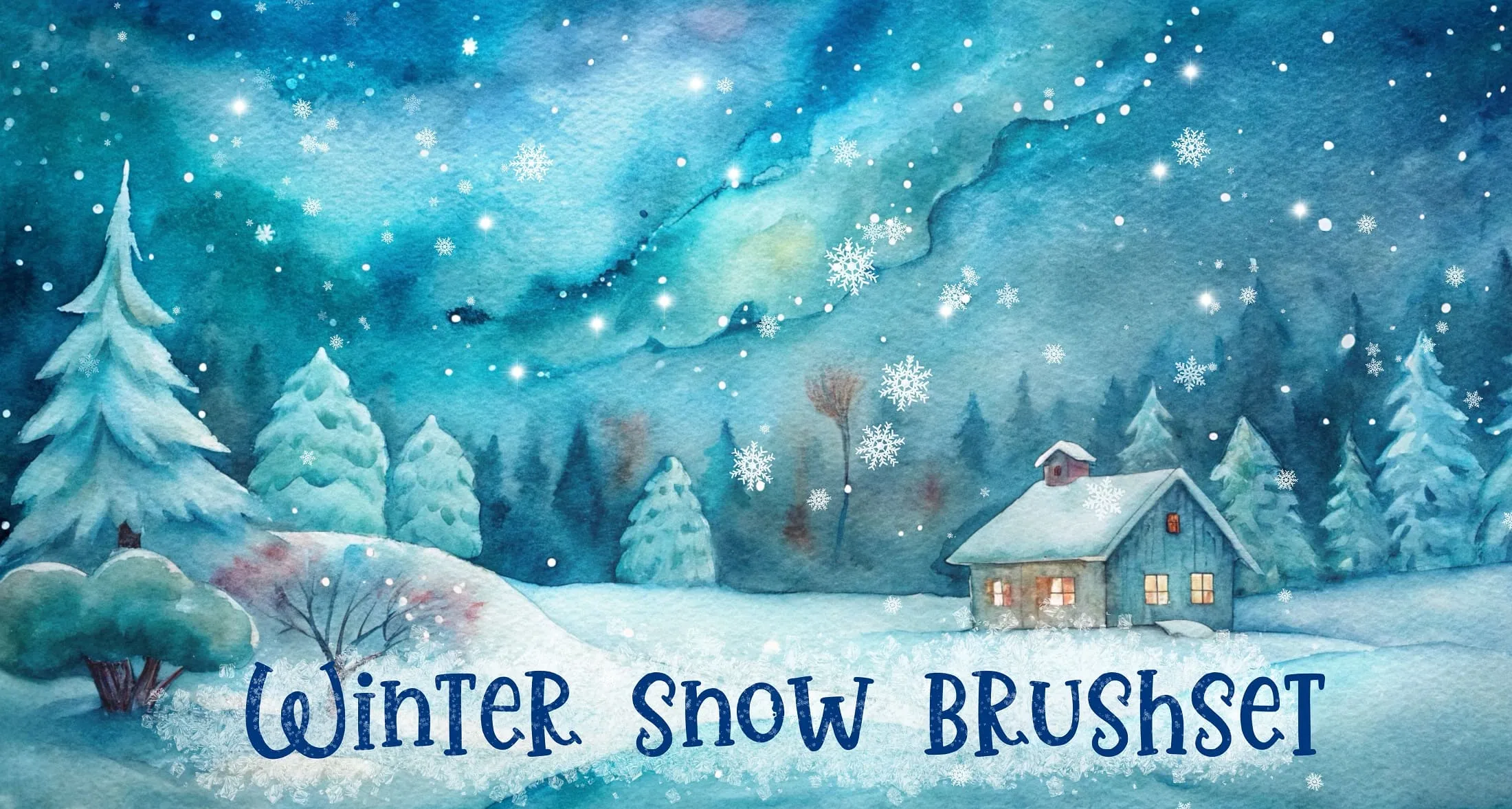
Winter Snow Procreate brush set cover
EffectsLandscapeFantasy

Winter Snow Procreate Brushes

B by the Brusher team

Add a touch of winter magic to your artwork! This brush set brings snowy textures, icy details, and festive patterns to life — perfect for holiday illustrations, cards, and frosty scenes. From delicat…

Brushes
50
Works with
Procreate
Download free — 50 brushes

Free download · .brushset format · installs in one tap · email required
Brusher app icon

Brusher app for iPad & iPhone
200+ sets like this in the Brusher app — plus free brushes and free tools.

App Store
Brusher app icon

This set and 200+ more are in the free Brusher app — with free brushes and tools like the .brushset → .abr converter.

Download on the App Store

Create magical winter scenes, snowfall and frosty effects directly in Procreate with this all-in-one winter & snow brush set! Perfect for holiday and card designers, illustrators, sticker and clipart makers, and anyone creating Christmas, winter and festive artwork. 🎨 What’s inside: 📁 50 brushes for Procreate app (.brushset format) 💡 Why you’ll love it: • – 50 Unique Brushes: Includes falling snow, snowfall and heavy snowflakes, detailed snowflake and crystal stamps, frost, ice, iced crystals and ice cubes, fresh snow bases and drifts, hanging icicles, glitter, bokeh and sparkling lights, northern lights, moon and stars, festive hearts and fireworks, plus pine trees, snowy forests and decorative deer. • – Save Time: Build complete winter scenes — snow, sky, trees and accents — with ready-made stamps and snowfall brushes. • – Beginner-Friendly: Easy to install and use, even if you’re new to Procreate. • – Professional Results: Add realistic, sparkling snow and frost with natural depth and festive atmosphere. • – Instant Download: Start creating in the next 2 minutes! 🖌️ Brushes compatible: ✅ For Procreate app on iPad only ⚠️ Requires Apple Pencil with pressure sensitivity (not compatible with USB-C Apple Pencil) 📥 Instant digital download — start drawing better today!
Brusher app icon
QR code — scan to get the Brusher appScan → get the app

More Glow & Neon brushes in the app

The Brusher app has the full 200+ set library, Glow & Neon included — one subscription instead of buying packs one at a time.

Download in the App Store

Every brush in Winter Snow

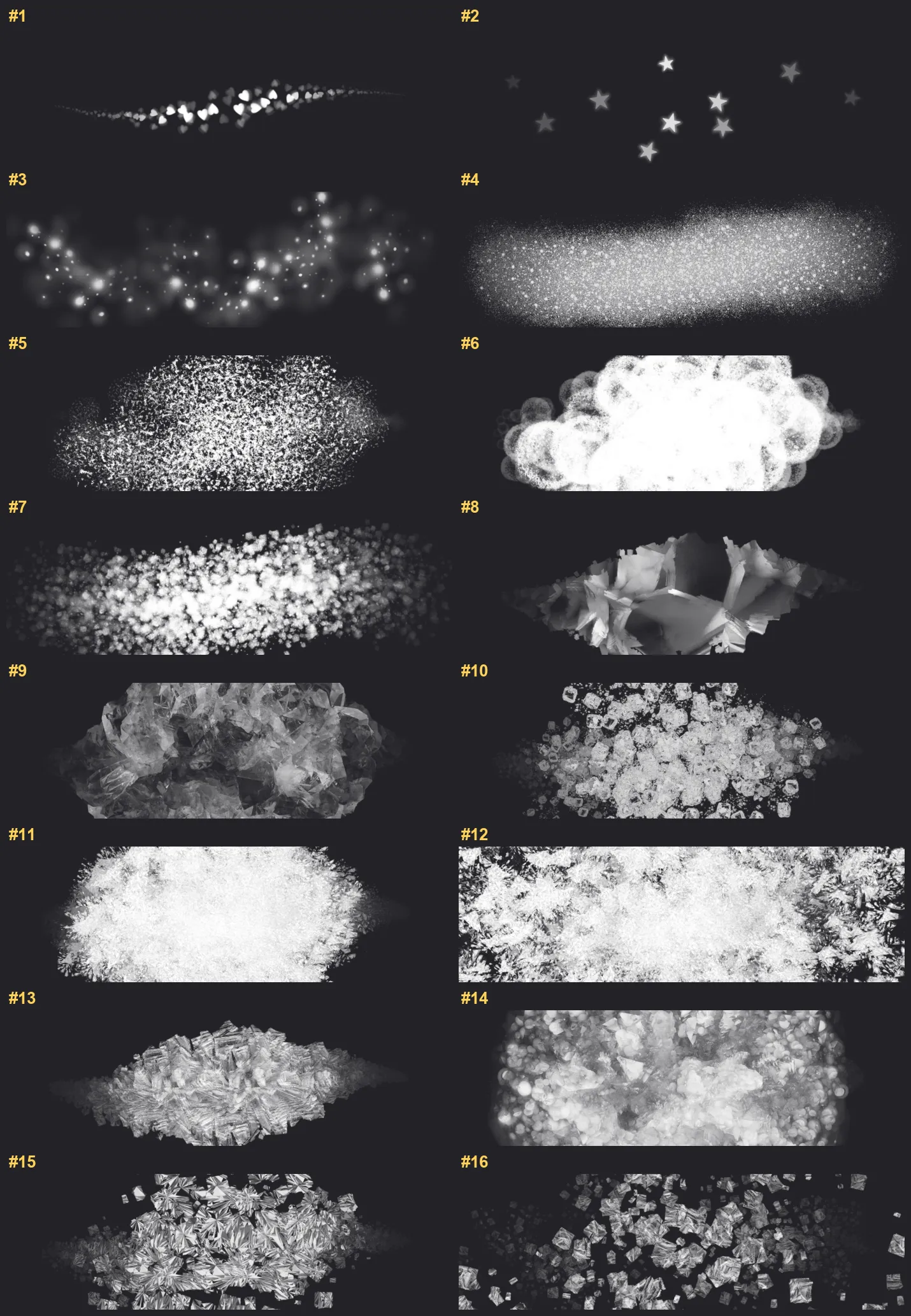
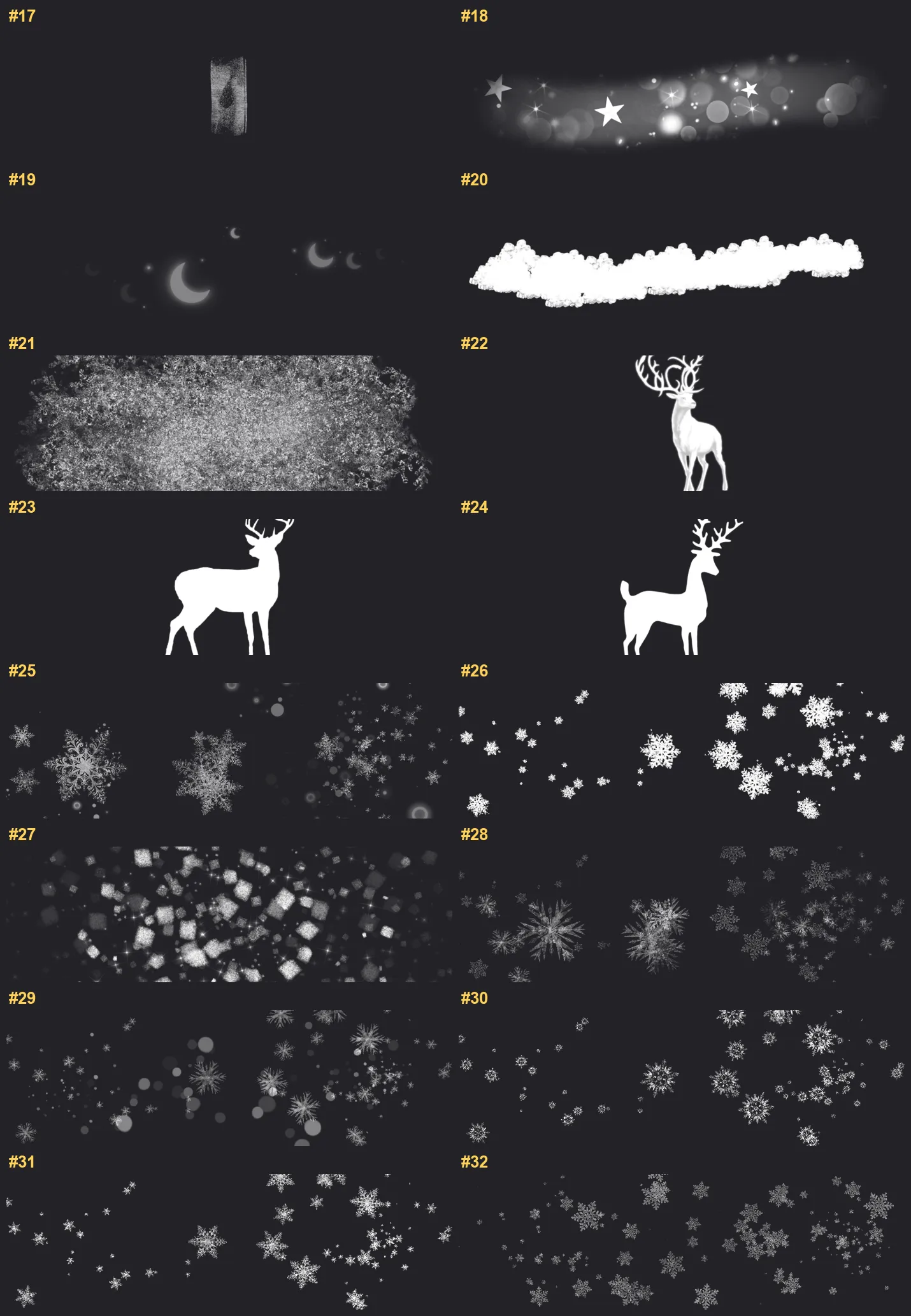
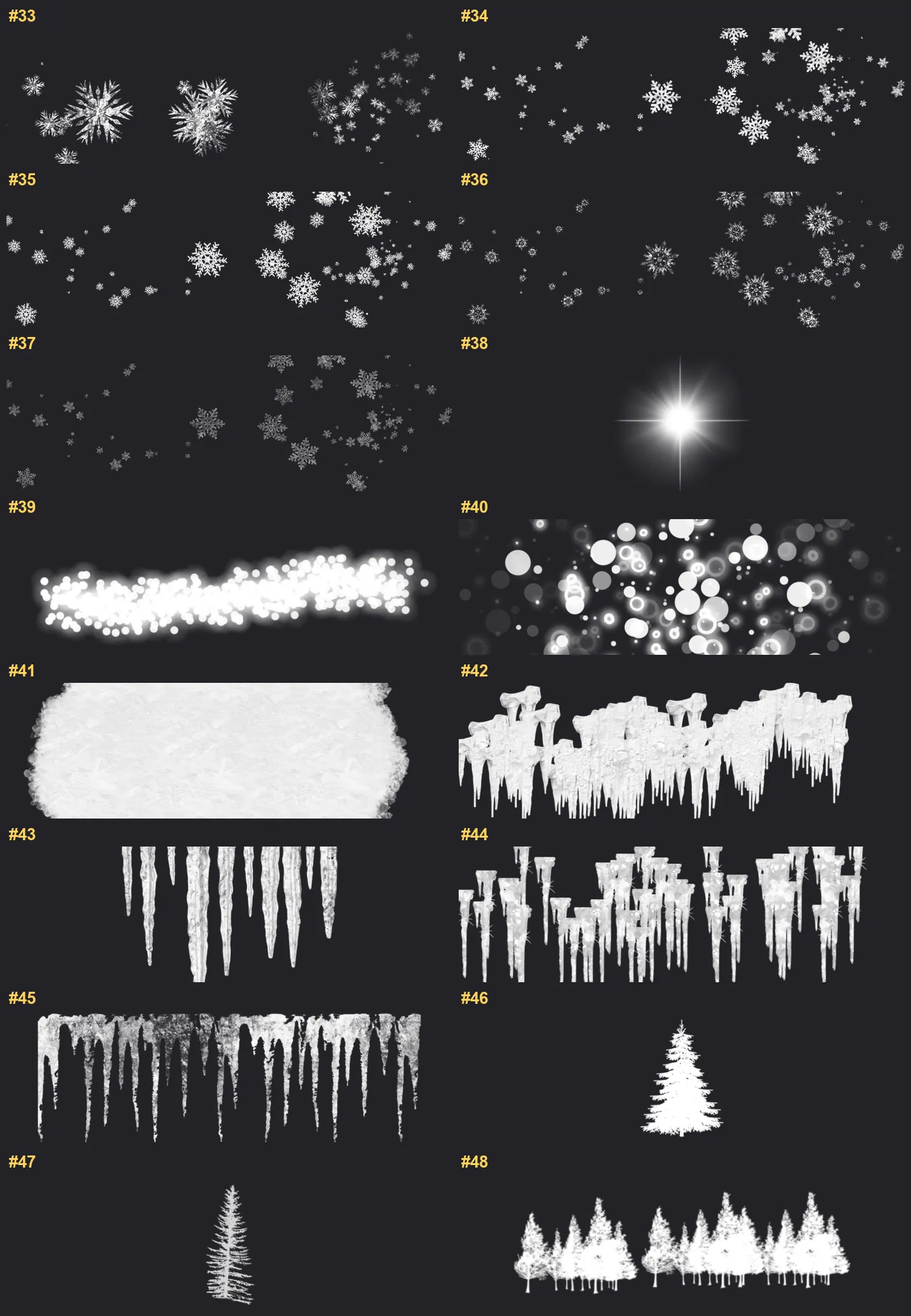
50 individual brush previews — see the exact stroke before you download.

Winter Snow brush 1 of 50 — Procreate stamp preview
Winter Snow brush 2 of 50 — Procreate stamp preview
Winter Snow brush 3 of 50 — Procreate stamp preview
Winter Snow brush 4 of 50 — Procreate stamp preview
Winter Snow brush 5 of 50 — Procreate stamp preview
Winter Snow brush 6 of 50 — Procreate stamp preview
Winter Snow brush 7 of 50 — Procreate stamp preview
Winter Snow brush 8 of 50 — Procreate stamp preview
Winter Snow brush 9 of 50 — Procreate stamp preview
Winter Snow brush 10 of 50 — Procreate stamp preview
Winter Snow brush 11 of 50 — Procreate stamp preview
Winter Snow brush 12 of 50 — Procreate stamp preview
Winter Snow brush 13 of 50 — Procreate stamp preview
Winter Snow brush 14 of 50 — Procreate stamp preview
Winter Snow brush 15 of 50 — Procreate stamp preview
Winter Snow brush 16 of 50 — Procreate stamp preview
Winter Snow brush 17 of 50 — Procreate stamp preview
Winter Snow brush 18 of 50 — Procreate stamp preview
Winter Snow brush 19 of 50 — Procreate stamp preview
Winter Snow brush 20 of 50 — Procreate stamp preview
Winter Snow brush 21 of 50 — Procreate stamp preview
Winter Snow brush 22 of 50 — Procreate stamp preview
Winter Snow brush 23 of 50 — Procreate stamp preview
Winter Snow brush 24 of 50 — Procreate stamp preview
Winter Snow brush 25 of 50 — Procreate stamp preview
Winter Snow brush 26 of 50 — Procreate stamp preview
Winter Snow brush 27 of 50 — Procreate stamp preview
Winter Snow brush 28 of 50 — Procreate stamp preview
Winter Snow brush 29 of 50 — Procreate stamp preview
Winter Snow brush 30 of 50 — Procreate stamp preview
Winter Snow brush 31 of 50 — Procreate stamp preview
Winter Snow brush 32 of 50 — Procreate stamp preview
Winter Snow brush 33 of 50 — Procreate stamp preview
Winter Snow brush 34 of 50 — Procreate stamp preview
Winter Snow brush 35 of 50 — Procreate stamp preview
Winter Snow brush 36 of 50 — Procreate stamp preview
Winter Snow brush 37 of 50 — Procreate stamp preview
Winter Snow brush 38 of 50 — Procreate stamp preview
Winter Snow brush 39 of 50 — Procreate stamp preview
Winter Snow brush 40 of 50 — Procreate stamp preview
Winter Snow brush 41 of 50 — Procreate stamp preview
Winter Snow brush 42 of 50 — Procreate stamp preview
Winter Snow brush 43 of 50 — Procreate stamp preview
Winter Snow brush 44 of 50 — Procreate stamp preview
Winter Snow brush 45 of 50 — Procreate stamp preview
Winter Snow brush 46 of 50 — Procreate stamp preview
Winter Snow brush 47 of 50 — Procreate stamp preview
Winter Snow brush 48 of 50 — Procreate stamp preview
Winter Snow brush 49 of 50 — Procreate stamp preview
Winter Snow brush 50 of 50 — Procreate stamp preview

Full brush overview

Winter Snow Procreate brushes overview sheet 1
Winter Snow Procreate brushes overview sheet 2
Winter Snow Procreate brushes overview sheet 3
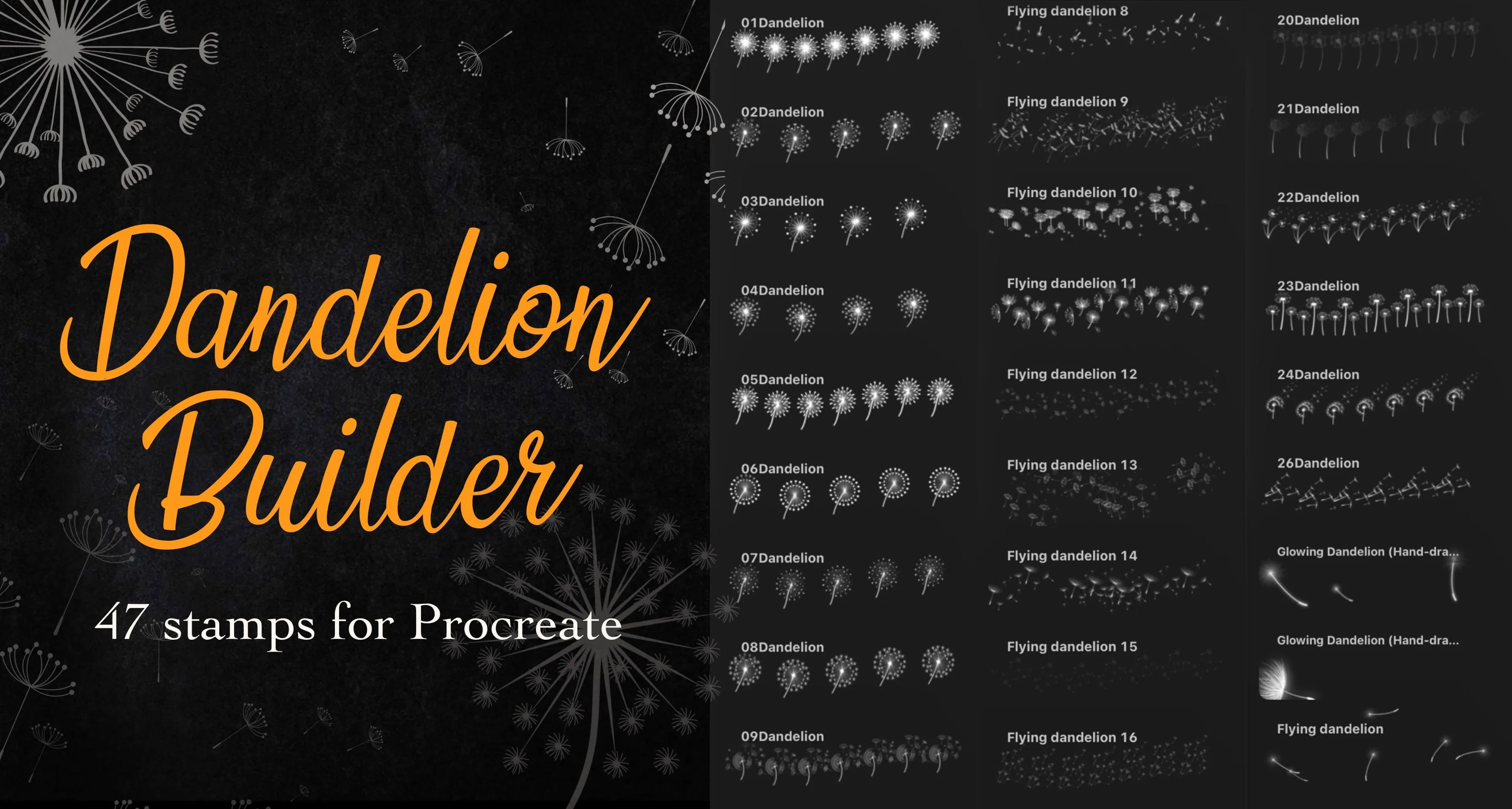
Winter Snow Procreate brushes overview sheet 4

New to Procreate brushes?

Follow our quick guide to import your .brushset in under a minute.

How to import brushes

Winter Snow — FAQ

How much does the Winter Snow pack cost?+

Free — Winter Snow is a free download with no payment and no subscription. Grab the .brushset and it installs into Procreate in one tap.

How many brushes are in the Winter Snow pack?+

The Winter Snow set includes 50 brushes — falling snow and heavy snowflakes, snowflake and crystal stamps, frost, ice and icicles, fresh snow bases and drifts, glitter and bokeh.

Does Winter Snow work with the free version of Procreate?+

Procreate is a one-time paid app on the iPad App Store; once you own it, these brushes import for free with a single tap.

What file format do I get?+

You'll receive a .brushset file that Procreate installs automatically. See our import guide if you need step-by-step help.

Do I need an Apple Pencil?+

Yes — a pressure-sensitive Apple Pencil is recommended to get the full texture and taper of every brush.

Browse this style