Skip to content
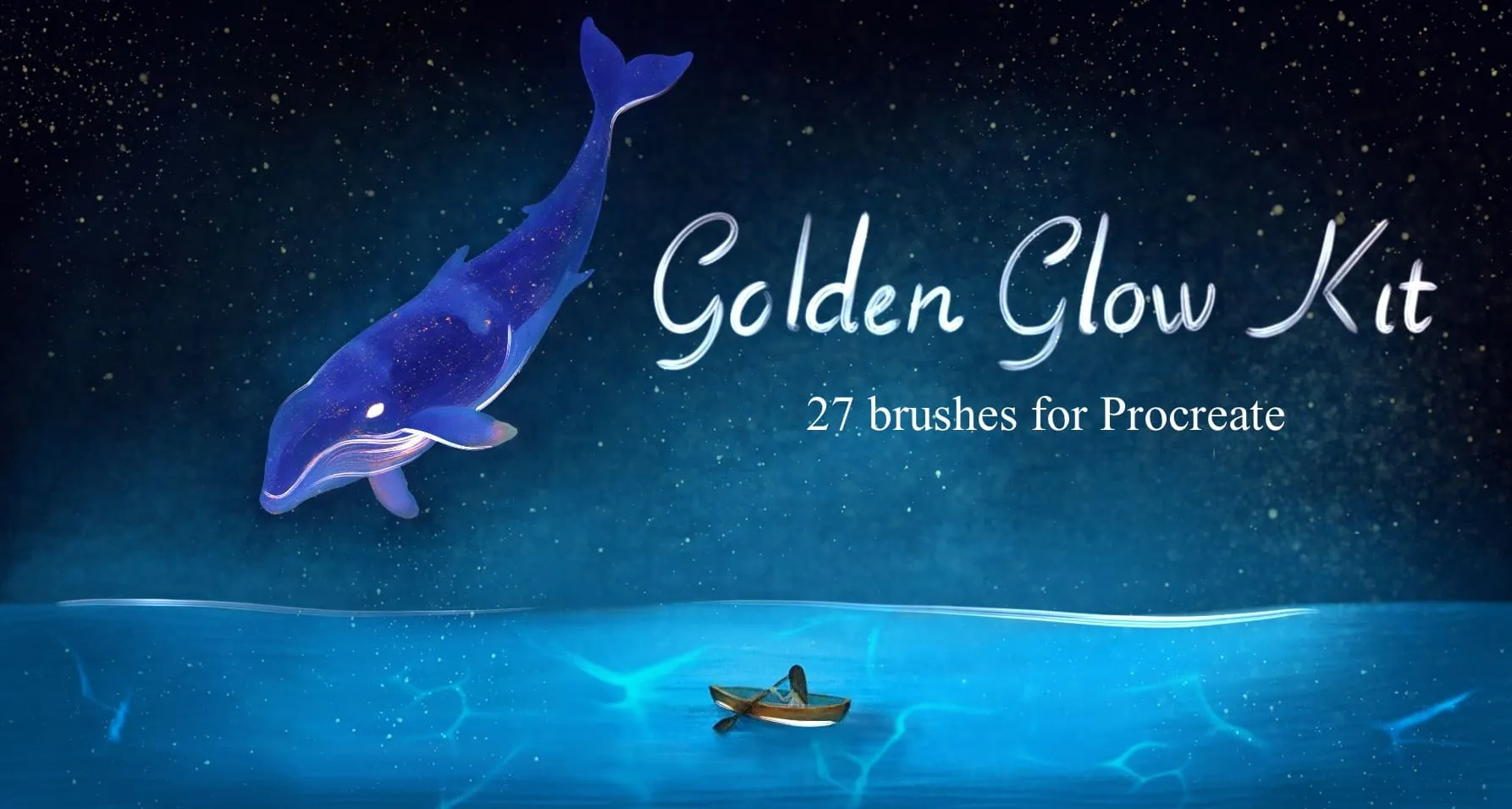
Golden Glow Kit Procreate brush set cover
EffectsDecoration

Golden Glow Kit Procreate Brushes

AH by Amelia Harper

A set of shimmering brushes for adding metallic and glowing effects to your artwork.

Brushes
32
Works with
Procreate
Download free — 32 brushes

Free download · .brushset format · installs in one tap · no signup

Create rich gold, metallic and foil effects directly in Procreate with this Golden Glow Kit brush set! Perfect for lettering and logo artists, illustrators and surface designers, packaging and branding creators, and anyone adding luxe gold accents to their work. 🎨 What’s inside: 📁 27 brushes for Procreate app (.brushset format) 💡 Why you’ll love it: • – 27 Unique Brushes: Includes gold leaf & brushed-metal textures, crumpled foil and metal-mesh surfaces, liquid/molten gold and soft shimmer streaks, gold flake, sequin/disc and sparkle-star stamps, gold dust, powder, frosted and sand-grain scatters, a glittering thread liner, plus core round, paint, dry-brush and calligraphy writing brushes. • – Save Time: Add instant gold foil, glitter and metallic shine to lettering, logos and illustrations without hand-painting every speck. • – Beginner-Friendly: Easy to install and use, even if you’re new to Procreate. • – Professional Results: Get warm, believable gold with realistic grain, sparkle and light. • – Instant Download: Start creating in the next 2 minutes! 🖌️ Brushes compatible: ✅ For Procreate app on iPad only ⚠️ Requires Apple Pencil with pressure sensitivity (not compatible with USB-C Apple Pencil) 📥 Instant digital download — start drawing better today!
Brusher app icon

Access to 250+ Sets.

Stop buying singles. Unlock the extended library with one simple subscription.

Download in the App Store

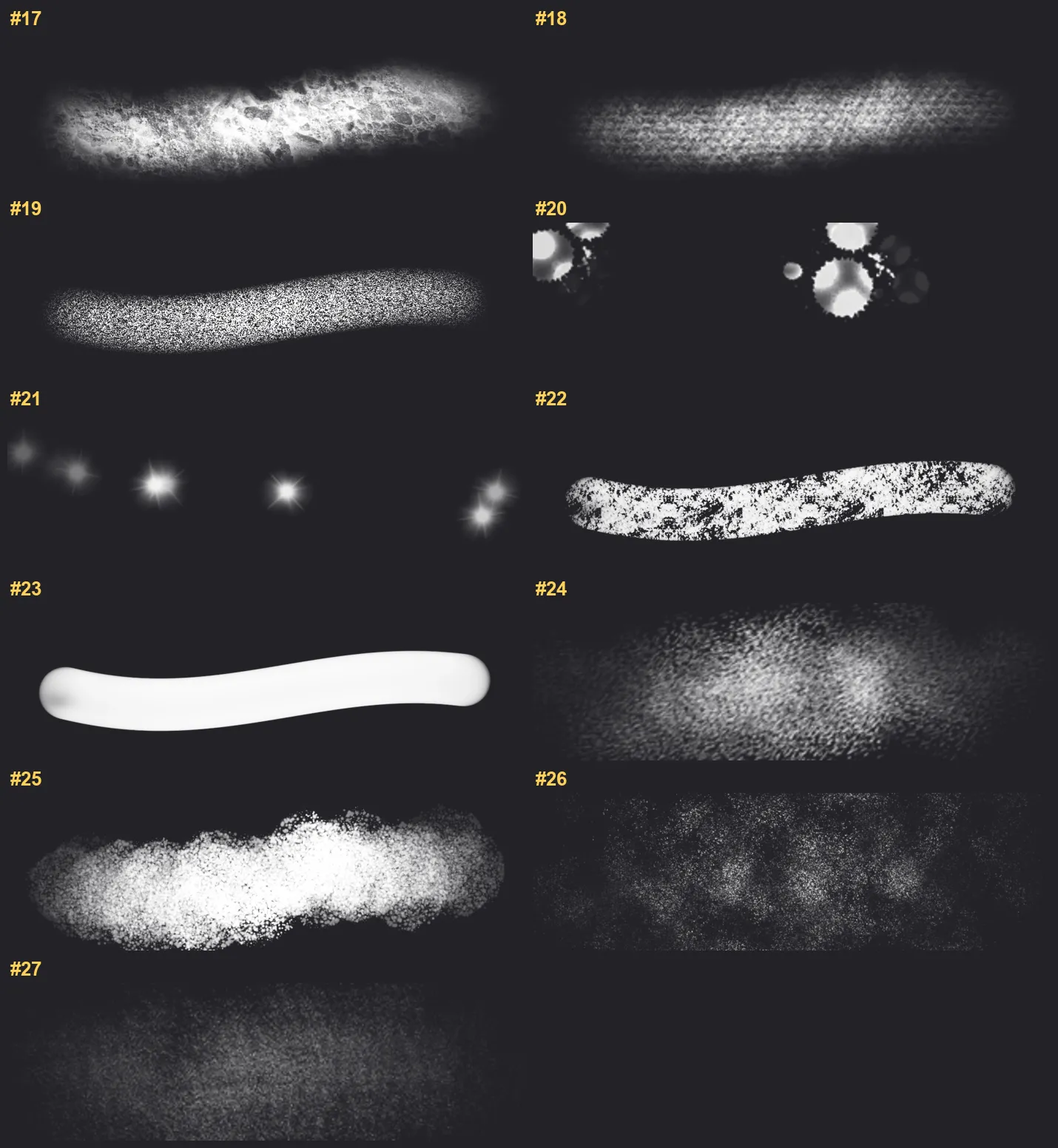
Every brush in Golden Glow Kit

27 individual brush previews — see the exact stroke before you download.

Golden Glow Kit brush 1 of 27 — Procreate stamp preview
Golden Glow Kit brush 2 of 27 — Procreate stamp preview
Golden Glow Kit brush 3 of 27 — Procreate stamp preview
Golden Glow Kit brush 4 of 27 — Procreate stamp preview
Golden Glow Kit brush 5 of 27 — Procreate stamp preview
Golden Glow Kit brush 6 of 27 — Procreate stamp preview
Golden Glow Kit brush 7 of 27 — Procreate stamp preview
Golden Glow Kit brush 8 of 27 — Procreate stamp preview
Golden Glow Kit brush 9 of 27 — Procreate stamp preview
Golden Glow Kit brush 10 of 27 — Procreate stamp preview
Golden Glow Kit brush 11 of 27 — Procreate stamp preview
Golden Glow Kit brush 12 of 27 — Procreate stamp preview
Golden Glow Kit brush 13 of 27 — Procreate stamp preview
Golden Glow Kit brush 14 of 27 — Procreate stamp preview
Golden Glow Kit brush 15 of 27 — Procreate stamp preview
Golden Glow Kit brush 16 of 27 — Procreate stamp preview
Golden Glow Kit brush 17 of 27 — Procreate stamp preview
Golden Glow Kit brush 18 of 27 — Procreate stamp preview
Golden Glow Kit brush 19 of 27 — Procreate stamp preview
Golden Glow Kit brush 20 of 27 — Procreate stamp preview
Golden Glow Kit brush 21 of 27 — Procreate stamp preview
Golden Glow Kit brush 22 of 27 — Procreate stamp preview
Golden Glow Kit brush 23 of 27 — Procreate stamp preview
Golden Glow Kit brush 24 of 27 — Procreate stamp preview
Golden Glow Kit brush 25 of 27 — Procreate stamp preview
Golden Glow Kit brush 26 of 27 — Procreate stamp preview
Golden Glow Kit brush 27 of 27 — Procreate stamp preview

Full brush overview
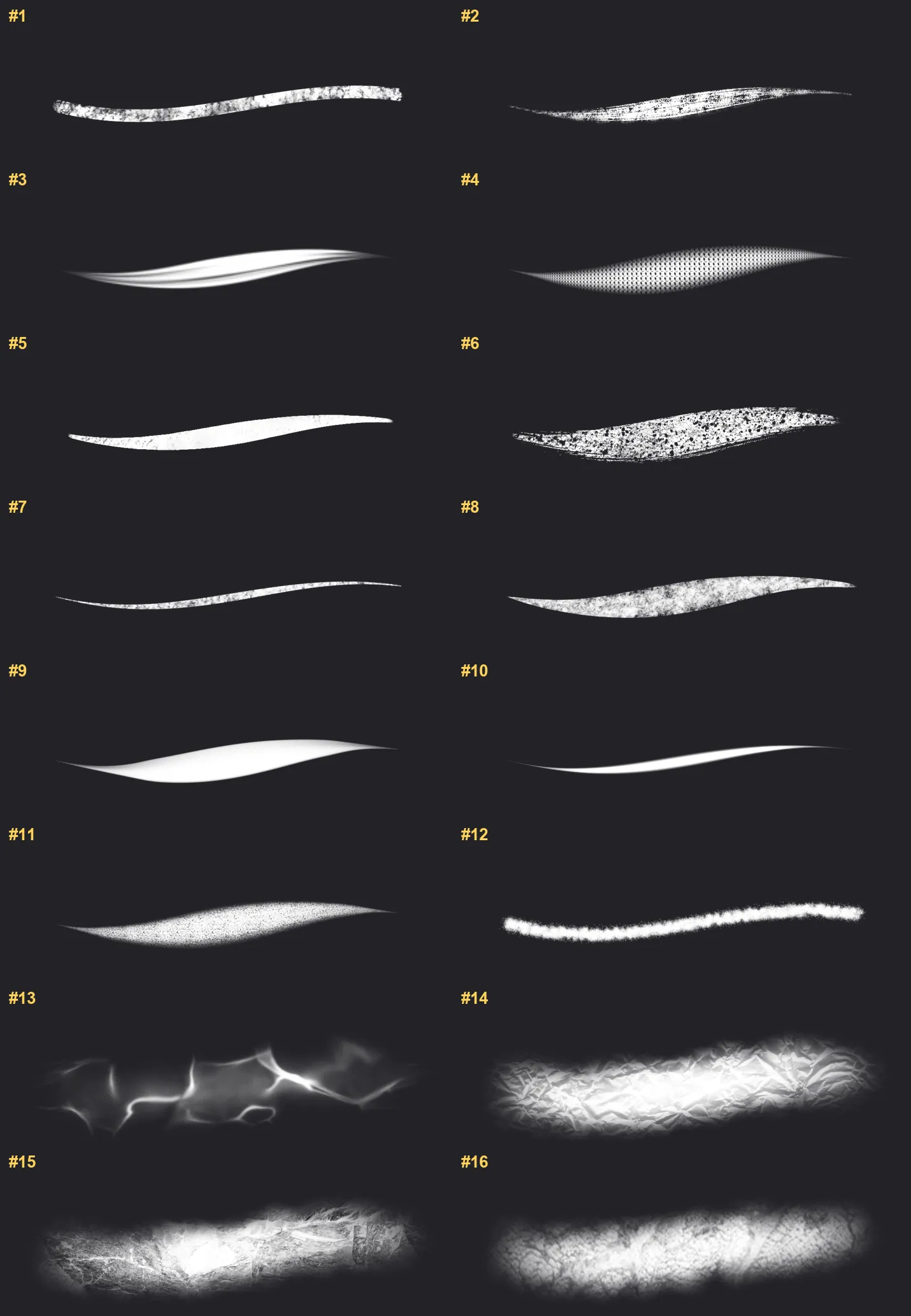
Golden Glow Kit Procreate brushes overview sheet 1
Golden Glow Kit Procreate brushes overview sheet 2

New to Procreate brushes?

Follow our quick guide to import your .brushset in under a minute.

How to import brushes

Golden Glow Kit — FAQ

How much does the Golden Glow Kit pack cost?+

$5 (USD) — a one-time purchase, not a subscription. You pay once on lava.top, download instantly, and keep the set with free future updates.

How many brushes are in the Golden Glow Kit pack?+

The Golden Glow Kit set includes 32 brushes — space glow, nebula, space fog and moon surface.

Does Golden Glow Kit work with the free version of Procreate?+

Procreate is a one-time paid app on the iPad App Store; once you own it, these brushes import for free with a single tap.

What file format do I get?+

You'll receive a .brushset file that Procreate installs automatically. See our import guide if you need step-by-step help.

Do I need an Apple Pencil?+

Yes — a pressure-sensitive Apple Pencil is recommended to get the full texture and taper of every brush.